Tired of outdated rigs and missed gaming moments This comprehensive guide provides everything US gamers need for a successful desktop PC build in 2026. Discover expert tips on selecting components optimizing performance and saving money without compromising on the fun factor. Whether you are a seasoned enthusiast or a first time builder struggling with setup issues or budget constraints this resource offers practical solutions to common pain points. Learn how to balance your passion for gaming with life responsibilities ensuring you get maximum value and enjoyment from your custom machine. Embrace the satisfaction of building a system tailored for relaxation skill building and social play keeping you current with the latest trends without falling for hype.
What is the best approach to planning my first desktop PC build in 2026?
The best approach starts with defining your primary use gaming resolution, desired frame rates, and budget. Research components like CPU GPU and RAM that align with these goals checking current market trends and compatibility. Create a parts list using tools like PCPartPicker to ensure everything works together and fits your financial limits. Prioritizing components that deliver the most impact for your gaming experience is crucial.
How much RAM is truly necessary for modern gaming in 2026?
While 16GB of DDR4 or DDR5 RAM is the minimum for a smooth modern gaming desktop PC build in 2026, 32GB is increasingly becoming the recommended sweet spot for future-proofing and optimal performance. This allows for seamless multitasking streaming and running memory-intensive games without performance bottlenecks. Faster RAM speeds 3600MHz for DDR4 6000MHz for DDR5 also contribute to better responsiveness.
What are the latest trends in cooling solutions for desktop PC builds?
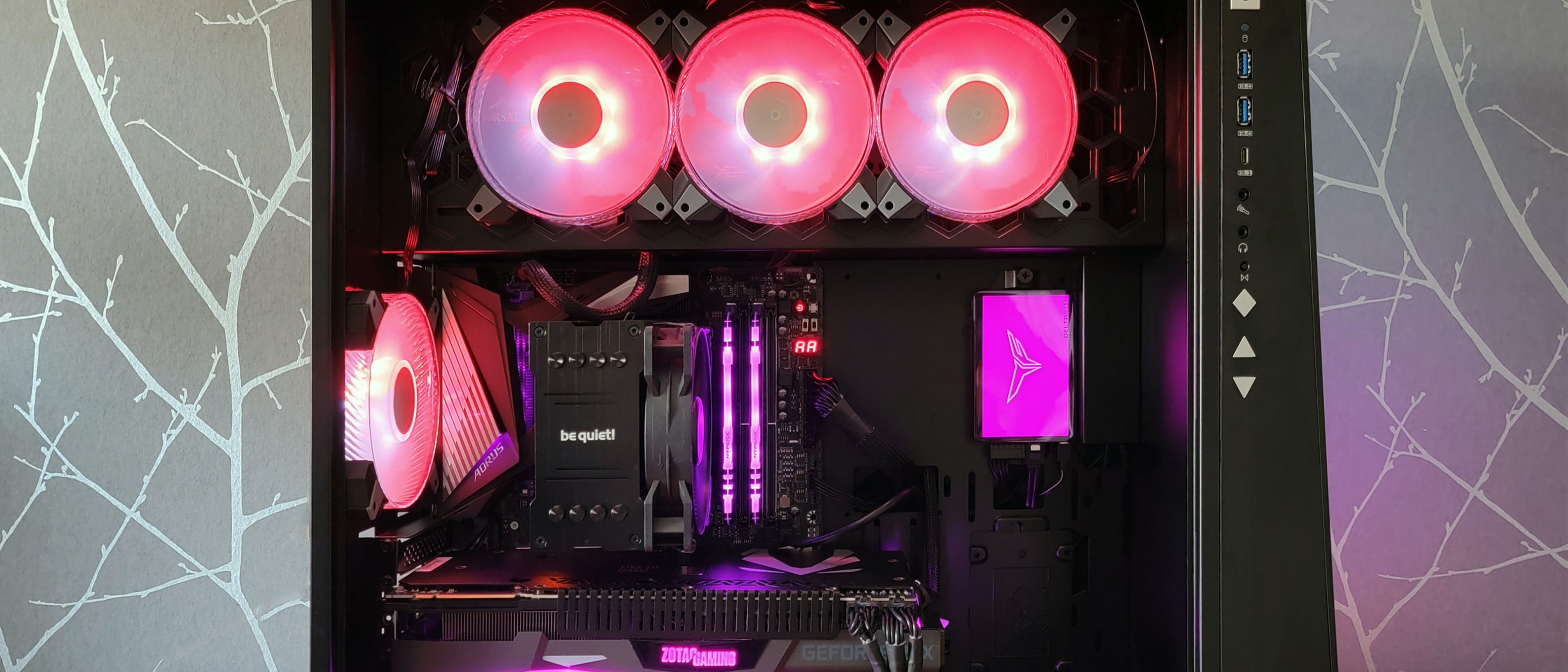
In 2026, both advanced air coolers and AIO All In One liquid coolers remain popular. Air coolers like the Noctua NH D15 offer excellent performance silently. AIOs are favored for aesthetics and slightly better performance for high-end CPUs often featuring larger radiators. Custom loop liquid cooling is reserved for enthusiasts. Focus on airflow within your case and selecting a cooler suitable for your CPU's thermal design power TDP.
Which storage type is ideal for gaming and overall system speed?
For gaming and overall system speed, an NVMe Solid State Drive SSD is absolutely ideal for a desktop PC build. PCIe Gen4 NVMe SSDs offer blazing-fast loading times for games and the operating system significantly improving the user experience compared to traditional SATA SSDs or HDDs. A 1TB NVMe is a solid starting point with 2TB or more recommended for extensive game libraries.
How important is cable management in a gaming PC build?
Cable management is very important for both aesthetics and functionality in a gaming PC build. Tidy cables improve airflow reducing temperatures and ensuring components operate efficiently. It also makes future upgrades or troubleshooting much easier. Modern PC cases offer plenty of routing options to hide cables for a clean professional look. Good cable management contributes to the longevity of your components.
What specific software should I install immediately after completing my desktop PC build?
After your desktop PC build is complete and Windows is installed, immediately install the latest drivers for your motherboard chipset and graphics card from the manufacturers' official websites. Other essential software includes a web browser antivirus software and game launchers like Steam Epic Games or Battle.net. Monitoring tools like HWMonitor for temperatures are also highly recommended to ensure system stability and performance.
Is it worth investing in an ergonomic setup for my new gaming desktop PC?
Absolutely it is worth investing in an ergonomic setup for your new gaming desktop PC especially if you game regularly. A comfortable chair proper monitor height and a good keyboard and mouse can prevent strain injuries and improve your overall gaming performance and enjoyment. Ergonomics are crucial for long gaming sessions allowing you to unwind and socialize without discomfort balancing health with your passion.
Are you a seasoned gamer, perhaps in your mid-thirties, juggling work, family, and a passion for hitting those headshots or exploring vast open worlds? You're not alone. In the US, the average gamer is around 36 years old, and a whopping 87% of gamers regularly log over 10 hours a week. Many of us find gaming to be a crucial outlet for relaxation, skill-building, and social connection, especially with trends leaning towards social and cross-play titles this month. But finding a machine that keeps up without breaking the bank or requiring a computer science degree to assemble can feel like a quest itself.
That's where a custom desktop PC build comes in. Forget the hype and the endless pre-built options that often come with compromises. Building your own desktop PC in 2026 offers unparalleled value, performance optimization, and the sheer satisfaction of creating something tailored precisely to your gaming style and lifestyle. This guide is designed to cut through the jargon, address common pain points like compatibility concerns or budget woes, and empower you to build a reliable, high-performance gaming rig that perfectly fits your life.
We understand you value smart spending and robust performance that lasts, not just fleeting trends. Let's dive into how you can achieve your ultimate gaming setup, ensuring your precious gaming time is spent enjoying, not troubleshooting.
Why build a desktop PC in 2026 instead of buying prebuilt?
Building a desktop PC offers significant advantages over pre-built systems, especially for the discerning gamer. You get superior value for money, often paying less for better components because you skip the builder's markup. Customization is key; you select every part to match your exact performance needs and aesthetic preferences, ensuring no wasted budget on unwanted features. Furthermore, building your own machine provides a deeper understanding of its inner workings, making future upgrades and troubleshooting much simpler. It's an empowering process that ensures your rig is truly yours, built for longevity and optimized for the games you love to play, whether they're the latest AAA titles or cozy social games.
For gamers balancing busy lives, this means a system designed for stability and efficient use of your limited gaming hours, without the bloatware often found in off-the-shelf machines. It also keeps you current with hardware trends, letting you swap components as new tech like advanced AI accelerators or faster GPUs emerge, rather than replacing an entire system.
What are the essential components for a gaming desktop PC build?
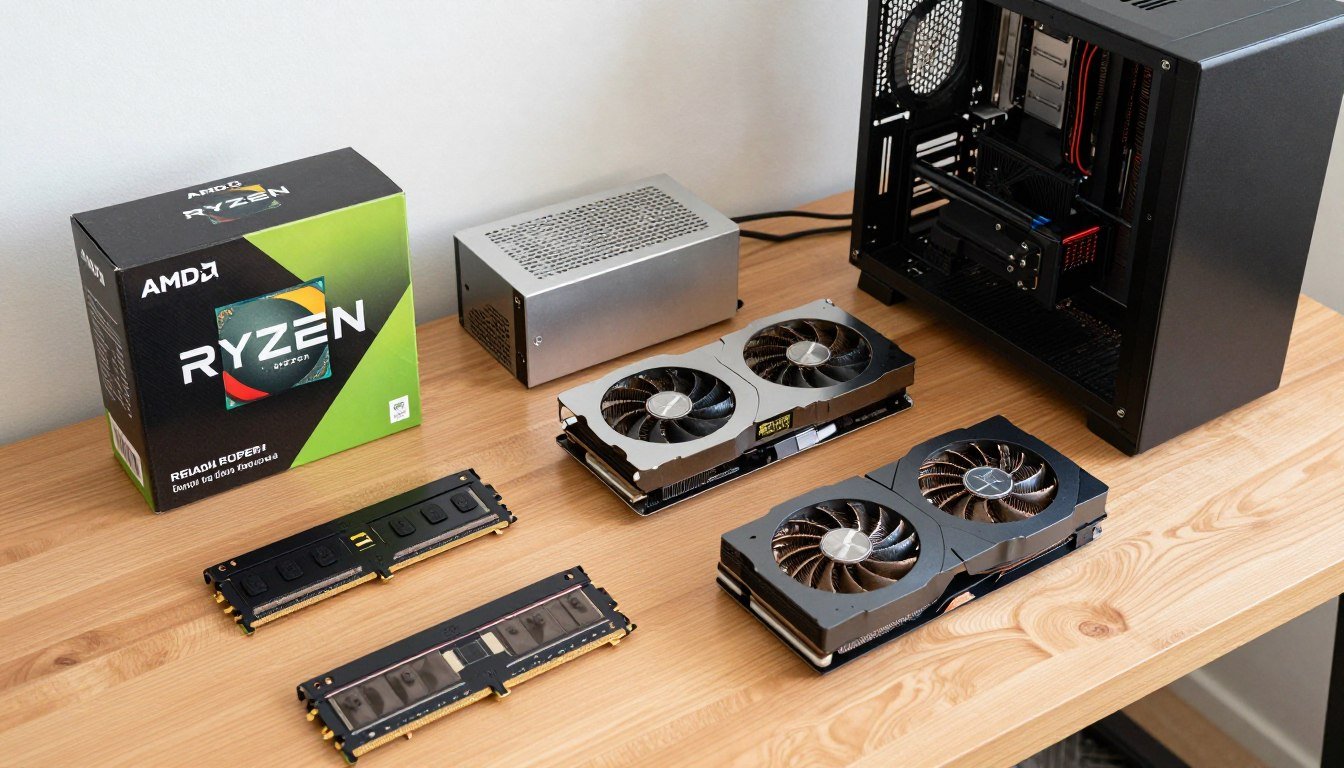
To successfully undertake a desktop PC build, you'll need several core components that work in harmony. The central processing unit CPU is the brain, handling all general computations. The graphics processing unit GPU is critical for rendering game visuals and is often the most expensive part. The motherboard acts as the nervous system, connecting all components. Random Access Memory RAM provides fast temporary storage for active programs and games. Storage, typically an NVMe SSD, holds your operating system and game files. A power supply unit PSU delivers electricity to all components, and a case houses everything while providing airflow for cooling. Lastly a cooling solution for the CPU is vital whether air or liquid.
Understanding these fundamental parts is the first step towards a successful and stable gaming machine. Each component plays a specific role, and selecting them carefully based on your budget and performance goals will dictate your overall gaming experience. Prioritizing the GPU and CPU for gaming performance is generally a good strategy, followed by ample fast storage.
How do I choose the right CPU and GPU for my gaming needs and budget?
Choosing your CPU and GPU is paramount for a gaming desktop PC build. For the CPU, Intel Core i5 or AMD Ryzen 5 series are excellent mid-range choices, perfect for balancing gaming and multitasking without overspending. High-end options like i7 or Ryzen 7 offer more cores for streaming or content creation. The GPU dictates your in-game performance frames per second and visual quality. For 1080p gaming aiming for 60fps this month, an NVIDIA RTX 4060 or AMD RX 7600 provides great value. For 1440p or higher refresh rates, look towards RTX 4070/4070 Super or RX 7800 XT/7900 GRE. Always research benchmarks for the specific games you play.
Consider your monitor's resolution and refresh rate as your primary guide. There's no point in buying a top-tier RTX 4090 if you're only gaming on a 1080p 60Hz monitor. Instead, invest wisely to ensure balanced performance and avoid bottlenecks. Many gamers find a mid-to-high-tier GPU paired with a solid mid-tier CPU offers the best bang for their buck, especially when budgeting for other life expenses.
What memory RAM and storage options are best for a modern gaming PC?
For RAM, 16GB is the current sweet spot for most gaming desktop PC builds, allowing smooth multitasking and handling demanding titles. However, with modern games and applications becoming more memory intensive, 32GB DDR5 is increasingly recommended for future-proofing and smoother performance, especially for those who also stream or run multiple apps simultaneously. Speed is also crucial; aim for DDR4-3600MHz or DDR5-6000MHz and above with low CAS latency for optimal results. Faster RAM directly translates to snappier game loading and improved frame rates in some titles.
Storage should prioritize a fast NVMe Solid State Drive SSD for your operating system and primary games. A 1TB NVMe SSD is a good starting point, with 2TB being ideal for larger game libraries. Avoid traditional Hard Disk Drives HDDs for gaming unless it's for mass archival storage, as their slow speeds will severely impact loading times and overall system responsiveness. Many gamers opt for a primary NVMe SSD for crucial files and a secondary, larger SATA SSD for less frequently played games or media.
How do I ensure compatibility when selecting PC parts?
Ensuring compatibility is perhaps the most crucial step in a desktop PC build. The CPU socket type must match the motherboard socket LGA for Intel or AM for AMD. RAM must be compatible with your motherboard's DDR generation DDR4 or DDR5 and module type DIMM. Your graphics card must fit into a PCIe x16 slot, which all modern motherboards provide. The PSU must have sufficient wattage for all your components and the correct connectors. Finally, all components must physically fit within your chosen PC case, especially longer GPUs and larger CPU coolers. Websites like PCPartPicker.com are invaluable tools for checking component compatibility automatically.
Double-checking these specifications before purchase can save you immense frustration and potential return hassles. Take your time, read reviews, and confirm that each selected part will seamlessly integrate with the others. A little planning here goes a long way in guaranteeing a smooth build process, allowing you more time to enjoy gaming with friends online rather than wrestling with incompatible hardware.
What tools and safety precautions do I need for my first desktop PC build?
For a successful desktop PC build, a few basic tools are indispensable. A magnetic Phillips head screwdriver is your primary tool. Zip ties or Velcro straps are excellent for cable management, crucial for good airflow and aesthetics. Thermal paste, often included with CPU coolers, is necessary for optimal CPU cooling. An anti-static wrist strap is highly recommended to prevent electrostatic discharge ESD from damaging sensitive components. A clean, well-lit workspace is also essential. Have your motherboard manual handy as it contains vital information.
Safety precautions are vital. Always unplug your PSU from the wall before working inside your PC. Ground yourself by wearing an anti-static wrist strap or by frequently touching an unpainted metal surface. Handle components by their edges, avoiding touching pins or circuit boards directly. Take your time, follow instructions, and dont force anything into place. Building a PC is not a race; patience prevents costly mistakes. Remember, this is a fun project, not a stressful chore.
Can I build a high performance gaming PC on a budget in 2026?
Absolutely, building a high performance gaming PC on a budget in 2026 is entirely achievable for a savvy gamer. The key is smart component selection and knowing where to save without sacrificing critical performance. Focus your budget on the CPU and GPU, as these have the biggest impact on gaming. Consider last-generation but still powerful components or slightly older CPUs and GPUs that offer excellent value. For example, a previous-gen Ryzen 5 or Intel i5 paired with an RTX 3060 or RX 6700 XT can still deliver fantastic 1080p and even some 1440p gaming experiences. Also, look for sales and open-box deals. Prioritize an NVMe SSD for speed but a smaller capacity if budget is tight, then add a larger HDD later for bulk storage.
Don't fall for flashy RGB components if raw performance is your goal. A plain case and less expensive RAM modules can save significant money without impacting gameplay. Remember, the goal is often to hit stable frame rates at your desired resolution, and a balanced budget build can do exactly that, allowing you to participate in popular social games or esports without feeling left behind.
How can I optimize my new desktop PC for gaming performance and longevity?
Once your desktop PC build is complete, optimization is key to maximizing gaming performance and ensuring longevity. Start with updated drivers for your GPU and chipset. In Windows, enable Game Mode, optimize power settings for "High Performance," and disable unnecessary background applications. Within your GPU control panel, fine-tune game-specific settings for optimal visual quality versus frame rate. Regularly clean out dust from your case and components to maintain good airflow and lower temperatures. Monitor your CPU and GPU temperatures using software like HWMonitor during gaming sessions. Overclocking can yield extra performance but proceed with caution and only if you understand the risks.
Consider regular software maintenance, including disk cleanup and defragmentation for HDDs, though less critical for SSDs. Keep your operating system updated. For busy gamers, setting up automated backups can save headaches. Proper care and smart software management will ensure your custom-built machine remains a powerhouse for years, allowing you to enjoy countless hours of stress relief and fun without constant performance worries.
What common setup issues should I watch out for during a PC build?
Even experienced builders can encounter snags during a desktop PC build. A common issue is the PC failing to POST Power On Self Test. This often points to incorrectly seated RAM sticks, CPU power cable not plugged in, or the GPU not fully seated. Check all power connections rigorously. Another frequent problem is a non-booting OS; ensure your boot drive is correctly formatted and selected in the BIOS. Driver issues can cause crashes or poor performance post-build; always install the latest GPU and chipset drivers. Thermal paste application can also be tricky; too much or too little can lead to overheating. Always refer to your motherboard manual for correct front panel connector placement, as this is a common source of frustration.
Don't panic if something doesn't work right away. The beauty of a custom build is that you can troubleshoot systematically. Double-check every connection, consult online forums for similar issues, and remember that sometimes a simple reseat of a component is all it takes. Patience and methodical troubleshooting are your best allies when facing initial setup challenges, ensuring your gaming experience is smooth from the start.
How can my new PC enhance my social gaming and streaming experience?
A custom desktop PC build significantly elevates your social gaming and streaming experience. With a powerful CPU and GPU, you can run demanding games at high frame rates while simultaneously streaming to platforms like Twitch or Discord, without performance hitches. This allows for seamless interaction with friends and community, a key trend in 2026 gaming where social play and co-op games are highly popular. Better hardware also supports higher quality webcams and microphones, making your voice and video clearer for teammates and viewers. Dedicated encoding capabilities in modern GPUs further offload streaming tasks, ensuring smooth gameplay and high-quality broadcasts.
Furthermore, a robust PC allows for easy participation in popular creator and streamer communities, whether you're watching or becoming one yourself. You'll experience less lag, clearer communication, and the ability to run multiple applications simultaneously, like Discord, game overlay tools, and streaming software, making your online social interactions richer and more engaging. This investment directly translates into more enjoyable and interactive gaming sessions with your friends and fellow gamers.
Building your own desktop PC in 2026 is more than just assembling parts; it's an investment in your gaming passion, tailored to fit your life. You've learned how to navigate component choices, build smart on a budget, and optimize your rig for peak performance and longevity. This personalized approach ensures you get the most out of every gaming session, whether it's for unwinding after a long day, connecting with friends, or sharpening your skills in your favorite titles.
Embrace the power and flexibility a custom desktop PC build offers. It's about taking control of your gaming experience and creating a machine that truly serves your needs, without the unnecessary fluff. Now that you're equipped with this knowledge, what's your biggest gaming challenge? Comment below!
Is building a PC hard for beginners?
No, building a PC is often compared to advanced LEGOs. With patience and good guides like this one, most beginners find it a rewarding experience. Modern components are designed for easier installation, and many online resources offer visual step-by-step instructions. Just take your time and follow the instructions carefully.
How much does a good gaming PC cost in 2026?
A decent 1080p gaming desktop PC build can start around $700-$1000, while a high-performance 1440p rig might range from $1200-$2000. Top-tier 4K setups can exceed $2500. Prices fluctuate based on sales and component generations, so research current market trends.
Where can I find reliable parts for my desktop PC build?
Reliable retailers include Newegg, Amazon, Best Buy, and Micro Center. For checking prices and compatibility across stores, PCPartPicker.com is invaluable. Always read reviews and check seller ratings before purchasing, especially for crucial components like the CPU and GPU.
How often should I upgrade my PC components?
For most gamers, upgrading a key component like the GPU or CPU every 3-5 years is sufficient to stay current with new titles without a full system overhaul. RAM or storage might be upgraded more frequently if needs change. This incremental approach is often more budget-friendly than building a brand new desktop PC every few years.
What about software and the operating system for my new build?
You will need a legitimate copy of an operating system, typically Windows 10 or 11. You can purchase a license key online or from retailers. After installing Windows, remember to install all necessary drivers, especially for your motherboard chipset and graphics card, directly from the manufacturers' websites for optimal performance.
Can I use my old peripherals with a new desktop PC build?
Yes, absolutely. Most standard peripherals like keyboards, mice, monitors, and headphones that connect via USB or 3.5mm jack will work seamlessly with your new desktop PC build. This is a great way to save money on your initial budget, allowing you to allocate more funds towards core components. You can always upgrade peripherals later.
Guide to desktop PC components Budget friendly build tips Performance optimization for gamers Step by step assembly troubleshooting Building a gaming PC for life balance
35



PC Project 2026 Where To Start With Building Your Own Gaming PC CCL CCL 667 BLOG BUILD GUIDE 1980x1080 . Best Gaming PC Builds For 2026 Best Gaming PC Builds For 2026.webp. Top 10 Best Desktop Computers 2026 For Home Office And Work Lenovo Legion Tower 7i 2026 High Performance Desktop Computer With RGB Lighting Featured In. Top 10 Best Desktop Computers 2026 For Home Office And Work Corsair Vengeance I7600 2026 Desktop Computer With Premium Build Quality Listed In Best Desktop. Building An Enthusiast Grade PC Build For 2026 GeekaWhat FI DM87 HAVN BF RTX 5090 Build



Top 10 Best Desktop Computers 2026 For Home Office And Work Lenovo Legion Tower 5i 2026 Budget Desktop Computer For Home Office Among Best Desktop. The Best Gaming PC Builds For 2026 Top Picks And Reviews Best Pc Build 300x300 . Build PC 2026 Per GTA VI Potenza Massima E Bolletta Minima Generated Images 6. Mid Range PC Build Guide 2026 Best Gaming Workstation Setup In Gemini Generated Image . How To Build A Gaming PC In 2026 Complete Parts Guide And Assembly Image


Best PC Cases 2026 Our Tested Picks For Your Next Build Tom S Hardware . Ultimate 2025 2026 Desktop PC All In One Showdown Top Picks For Desktop Pc 1024x574 . Best PC Builds For Gaming 2026 Ultimate Guide To Building Your Dream Best PC Builds For Gaming 2026 1024x683 . Best Budget Gaming PC Builds For 2026 500 800 Best Budget Gaming PC Builds For 2026.webp. Best Gaming PC Builds For 2026 Pc Build Help


Budget PC Build 2026 Complete Guide To Building Cheap Gaming PCs Budget PC Build 2026 Components Laid Out On Desk . Why Desktop PC Prices Are Rising In 2026 And How To Still Get A Good Deal New Year Desktop PC Deals 2026 Main . 6 Best Desktop Computers 2026 YouTube . How To Build A PC In 2026 GEEKOM UK Pc Building Guide.webp. Framework Desktop Review AMD S Strix Halo In A Petite Powerful



How To Build A PC In 2026 Beginner S Step By Step Guide Gadget Grab How To Build A Pc Pc Building Guide 1024x683 . How To Build A Future Proof Gaming PC In 2026 Complete Custom Build Guide 1773043345 . Awesome All In Ones Potent Components The Top Desktops And PC Parts. Top 10 Best Desktop Computers 2026 For Home Office And Work Dell Tower Plus 2026 Desktop Computer With Sleek Design And Powerful Components For Best. The Ultimate Gaming PC Build 2026 Guide By Xidax 1 Unnamed



Best Gaming Desktops For 2026 Technobezz Technobezz 2026 03 11 T142543 296 09ffd22ab9 . How To Build A Future Proof PC In 2026 Without Regret Gemini Generated Ima. Imresizer 98 . Computer Built Into Desk 2026 How To Build A PC In A Desk The Ultimate PC Built In Desk Setup Combining Style And. Top 10 Best Desktop Computers 2026 For Home Office And Work Apple IMac M4 2026 All In One Desktop Computer For Creative In Best Desktop. Top 10 Best Desktop Computers 2026 For Home Office And Work HP OmniStudio X Pro 2026 All In One Desktop Computer With Large Display Ranked Among Best

Digital Storm Teases Its Next Gen Aventum X Desktop Gaming PC For CES 2026 109447 01 Digital Storm Teases Its Next Gen Aventum Desktop Gaming Pc For Ces 2026 . Gaming PC Gaming PC Build 2026 Gaming Computer Buy Online YouTube . Desktop PC Upgrade Guide 2026 Maximize Performance Save Money . Desktop PC Buying Guide 2026 Best Value Timing Tips . 12 Best Gaming PC Under 1000 In 2026 Tested Reviewed Best AIO Liquid Coolers For High Performance Gaming PC Builds 1024x576